Recruitment automation: What to automate (and what not to)
Recruitment automation can save hours of admin work, but some things should stay human. Here's how to distinguish between what to automate, and where to spend your time.
Recruitment automation gets a lot of buzz. And, if you’re still handling all of your outreach, screening, or follow-ups manually, it’s easy to feel like you’re already behind.
Sure, some of the hype is worth paying attention to. There are a lot of administrative tasks involved in recruiting, and using the right tools intentionally really can take a lot off your plate.
But there’s also a lot of middle ground between finding ways to be more efficient and automating absolutely everything. And it’s in that middle ground where the best hiring automation really happens. You end up with an automated hiring process that’s polished but still personal.
This guide is here to help you strike that balance. You’ll learn where automation really earns its place so you can reap all of the benefits (without losing that ever-important human touch).
What recruitment automation actually means
Recruitment automation means using software to handle the repetitive, rule-based tasks that otherwise eat up your recruiters’ time.
Think things like sending confirmation emails, moving candidates through pipeline stages, or triggering reminders when a hiring manager hasn’t given feedback in a few days. If a task follows a predictable pattern and doesn’t require judgment, there’s a good chance it can be automated.
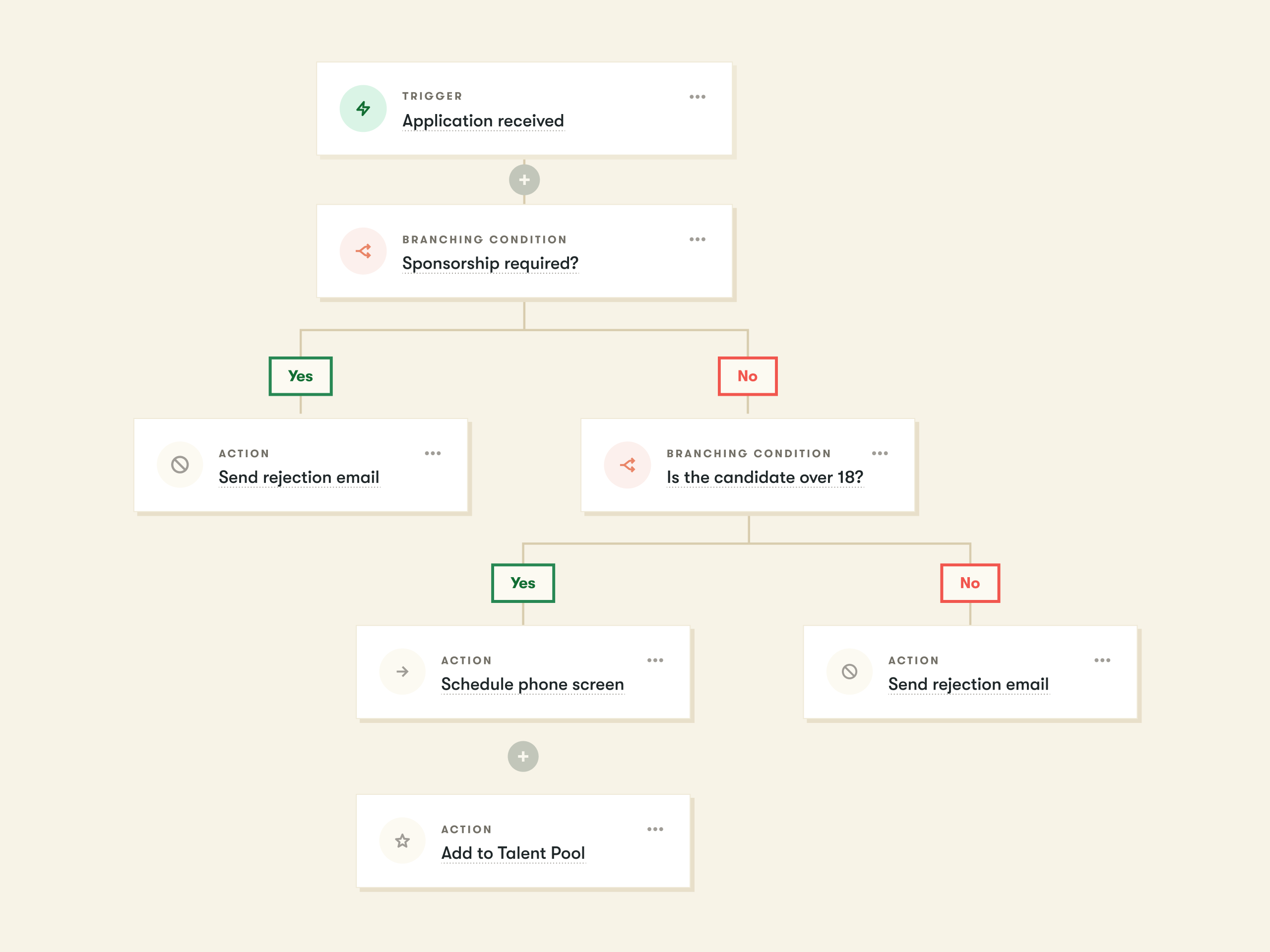
It’s a wider spectrum than most people think. At the simple end, you have a single trigger. For example, a candidate applies and automatically receives an acknowledgment email.
But, at the more advanced end, you have connected recruitment workflow automation that spans your entire hiring process. Candidates can move through applications, assessments, interview scheduling, offer letters, and pre-boarding without anyone manually pushing them along.
Put simply, if you’re using technology to lighten the load for your recruiters (whether it’s for a single task or a complex process), that’s recruitment automation at work.
Automation vs. AI: What’s the difference?
Say the word “automation,” and AI is inevitably one of the first things to spring to mind. The two terms get used interchangeably pretty often, but there is a distinction that’s worth understanding:
Automation follows rules you set. It does exactly what you tell it to do, consistently and at scale.
AI is designed to learn, interpret, and make judgment calls, such as assessing a candidate’s fit or predicting who’s likely to accept an offer.
Both have a role in modern recruiting. But they’re different tools with different implications. This guide focuses on automation: the rules-based, repeatable stuff your team can set up, control, and refine.
When you’re looking to automate recruiting, it’s best to look for tasks that are high-volume, rule-based, and don’t require human judgment to complete well. If a task follows the same pattern every time, then you probably don’t need a person to do it manually. Here are some examples of responsibilities that can be automated:
Application acknowledgments: When someone applies for a role, they should hear back quickly. A simple confirmation email sets expectations, shows candidates you received their application, and costs your team almost nothing (especially when it’s automated).
Interview scheduling: Recruiters need to spend a lot of time on interview scheduling. Not sourcing, not building relationships, not assessing candidates. Just the tedious process of sorting out calendars. Automating this through self-scheduling links or calendar integrations can make a huge difference for your team’s time and your candidate experience. Herr’s saw the impact firsthand after switching to Pinpoint. “It's been a great time savings for my team,” said Curtis Kodish, Human Resources Partner. “And candidates appreciate how easy it is to schedule their own interviews.”
Pipeline stage movements: When a candidate completes an assessment or an interview, manually moving them to the next stage slows things down and leaves room for mistakes or oversights. Automating these progressions based on completed actions keeps things moving and reduces the risk of good candidates getting stuck in limbo.
Status updates and reminders: Candidates want to know where they stand, and the silence between stages is one of the most common complaints in hiring. Automated updates at key milestones keep people informed without adding to your team's workload. The same logic applies internally: automated nudges or messages keep the process on track without anyone having to chase people down. “Before, it would take 10 conversations back and forth on chat to find out what's going on,” said Karen Blackburn, Head of Talent and Global Mobility at Lush, about the company’s previous clunky process. “But now you can go into the system and know what's happening straight away.”
Rejection emails: Particularly when you’re hiring at a high volume, keeping up with rejections manually is next to impossible. But failing to send anything at all does major damage to your employer brand. Automating rejections at the application stage ensures everyone gets a response. When an alarming 53% of job seekers say they’ve been ghosted by an employer, even a thoughtful, well-written template is better than radio silence. Late-stage candidates still deserve to hear from a real human, though. More on that later.
Data entry and admin tasks: Updating candidate records, logging activity, or moving information between systems doesn’t require human expertise. It just needs to get done. ATS automation can handle it in the background, without eating into your team’s time or attention.
Where to keep humans in the loop
No matter how promising recruiting automation tools seem, some parts of hiring just can’t be handed off. They require reading a room, exercising judgment, and making candidates feel like they’re being considered by real people who actually care.
Automating these moments might amp up your efficiency, but it can also damage the candidate experience you’re working so hard to create. Remember, faster doesn’t always mean better.
Initial candidate outreach: When you're getting in touch with a candidate for the first time, especially someone you've proactively sourced, a generic automated message doesn’t make a stellar first impression. And, these copy-paste notes are quickly becoming the norm, with many job seekers admitting they’re so inundated with AI messages from recruiters that they’re experiencing “outreach fatigue.” If you want your message to be noticed and read, you need a real human in the mix.
Interview conversations: Interviews are where candidates decide whether they want to work for you. That's an undeniably human moment. A recruiter or hiring manager who listens, asks thoughtful follow-up questions, and gives someone a genuine sense of the team just can't be replicated by a workflow. 87% of job seekers say meeting with a human is important since AI can’t effectively vet candidates for soft skills, while 84% say they prefer to have a real person conduct an initial interview (even if it’s just simple questions).
Complex candidate questions: When a candidate asks something nuanced about the role, the team culture, or why a previous person left the position, they need a real answer from a real person. Routing that to a chatbot or a canned response is a fast way to lose someone who was otherwise genuinely interested.
Offer negotiations: This is one of the highest-stakes conversations in the whole process. Discussions about salary, flexibility, and start dates require empathy, judgment, and often a bit of back-and-forth that automation can’t handle well. A clumsy or impersonal experience at this stage can unravel all of the work you have already put in.
Late-stage rejections: Rejecting someone after multiple interviews is different from declining an early-stage applicant. These candidates have invested real time and emotional energy, and they deserve a personal conversation. Or, at minimum, a thoughtful, individual message rather than the same template sent to someone who applied two days ago. It’s a tension that most job seekers are feeling, with 51% admitting they’ve changed how they approach the job market simply because they weren't hearing back from companies.
Anything requiring empathy or judgment: Broadly, if a situation calls for reading between the lines, adapting in the moment, or making a call that depends on context, a human should be making it. Use that as your gut check whenever you’re wondering whether to automate.
How to implement automation thoughtfully
Getting started with hiring automation doesn’t have to mean a complete, overnight overhaul of your entire process. Here’s how to take a more measured and manageable approach.
1. Start with high-volume, low-judgment tasks
Pick one or two tasks that your team does repeatedly, that follow a predictable pattern, and that don't require much human input to complete well. Application acknowledgment emails and interview scheduling are usually the easiest wins. They're high-frequency, time-consuming, and candidates notice when they're done well.
This is exactly the approach CDL took. By automating the repetitive coordination work across their hiring process, the team saw a 30% reduction in time to hire without sacrificing the candidate experience they'd worked hard to build.
As Jed Shaw, Talent Acquisition Manager at CDL, put it:
"Tasks that once took days now happen in minutes, and the process runs on its own. Hiring managers even asked if I'd been working weekends because everything kept moving."
2. Test before you scale
Before rolling out automation across every role or every stage, run it on a smaller set of openings first. Check that triggers are firing correctly, that emails look and sound the way you want them to, and that nothing is slipping through the cracks. It's much easier to catch and fix problems at this stage than after you've automated your entire pipeline.
3. Keep the candidate experience front of mind
As you build out your automated hiring process, read through every automated touchpoint from the candidate's perspective. Does the tone feel right? Is the timing appropriate? A confirmation email that arrives three days after someone applies isn't doing the job it's supposed to, and small details matter way more than people expect.
4. Review and refine regularly
Automation isn't a set-and-forget sort of thing. Roles change, processes evolve, and what worked six months ago might need updating. Build in a regular check to review your workflows, look at where candidates are dropping off, and make sure your automated touchpoints still reflect how your team actually works.
Recruitment automation: Less admin, more human
The appeal of automating everything is understandable. Recruiting is admin-heavy, timelines are tight, and the right tools genuinely can free up your team.
But the teams that get the most out of recruitment automation aren't necessarily the ones who automate the most. They're the ones who automate the right things.
Let automation handle the repetitive, predictable work, but reserve the moments that require judgment, empathy, and genuine human connection for your people. Get that balance right, and you end up with a hiring process that's faster and more consistent without feeling any less personal.
With over seven years in B2B SaaS, Alice creates data-driven content that makes complex topics simple and engaging. She believes every good story (no matter how dry or technical) should feel human, useful, and built on insight.